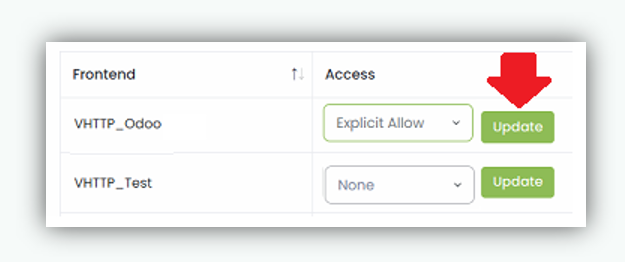
Explicit Allow
Geo Restrict is a security feature that controls access to frontend servers based on the geographical location (country) of incoming client requests. It allows administrators to define Allowed and Blocked country lists and apply these rules at the frontend server level. Geo Restrict helps organizations enforce regional access policies, reduce exposure to unwanted traffic, and enhance overall security.
How Geo Restrict Works
Geo Restrict operates in one of the following modes:
Explicit Allow (Allowed Countries)
- Selected countries are added to the Allowed Countries list.
- Traffic is permitted only from the allowed countries.
- Traffic from all other countries is blocked by default. Example: Frontend VHTTPS_CRM configured with Explicit Allow will accept traffic only from the selected allowed countries and deny access from all others.
Use case:
Restrict access strictly to specific countries (for example, internal or region specific services).
Apply Explicit Allow on a Frontend
- Navigate to Geo Restrict.
Click on Geo Restrict from the left navigation menu. - Locate the required frontend server from the list for which you want to enable Explicit Allow.
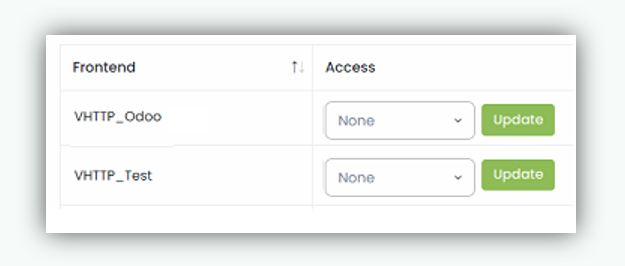
- Select Explicit Allow from the drop down menu.
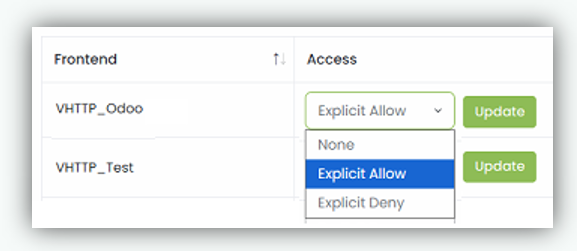
- Click Update to save.